Local Mastodon Instance
Hi everyone! I’m looking to run a Mastodon instance on a home server, entirely within LAN, without owning a domain. It does not need to interact with other Mastodon instances, but users on the local server should still be able to follow accounts on other Mastodon servers. Local users should also be able to create posts and see each other’s posts on the local instance. I’d appreciate advice from anyone running Mastodon this way at home. Thanks!
#selfhosted
807 posts · Last used 16h
Personal radio station
Apologies if this has been asked before however after some searching I’ve found several posts / articles here in Lemmy (plus generally around via web searches). Some of the posts are dated however so want to see what the most ‘up to date’ suggestions are.
I have spare hardware so this is more a software query.
I want to run my own private radio station where I can listen to my music while on the move and at work. Nothing special and it doesnt need bells and whistles however at minimum :
able to listen via web browser (android app would be a bonus but not required)
able to lock it down so only people with the password can listen (me and other half in UK and brother in Australia)
) a generic login so people without the password do not know what it is or what its for
option to set playlists and / or random via genre over specific time periods
Thanks in advance.
Tasks app recommendation with notifications?
Hi,
I’m desperate for a good Todo app with proper Android notifications support, or at lease web push notifications from the browser.
Best I could find was Vikunja, but email notifications aren’t very practical for multiple daily tasks with reminders.
Lately I’ve been trying to use Obsidian as my tracker for things to do, but it’s just not that convenient for me and doesn’t trigger notifications.
I know selfhosted push notifications isn’t a simple problem to solve, so I don’t have much hope got a solution.
I’m so close to going back to Todoist, which to me is the gold standard, you guys are my last attempt 🙏
Self-Host Weekly (2 October 2026)


Connect turntables to HomePods
I spotted this project today and thought it might be of interest for some of you.
It will allow you to stream your vinyls, CD or cassette players to airplay capable devices.
Boosted by @welcome@friends.deko.cloud
Hello Fediverse! Here is my #Introduction:
Setting up an account and finding my footing. By nature, I am a quiet observer and prefer reading, learning, and following thoughtful feeds over posting.
Topics I enjoy following:
• #Electronics & electrical tinkering
• #Homelab & #SelfHosted infrastructure
• #Music, guitar & composing #TTRPG scores
• Hands-on building & maker craft
Happy to read and learn from the community. Feed recommendations are welcome!
Old laptop with non-funtional display... What do I turn it into
So being the tech guy in my family, I just “inherited” my brother’s old laptop. It’s internals are reasonably modern, it has a Ryzen 5800HS and a RTX 3050Ti inside, the only issue is the display somehow died (I’ve opened the laptop up and I can’t tell how, but it definitely seems to be a hardware issue as far as I can tell - the laptop simply no longer detects the display is connected at all).
I’ve been able to confirm that full video output still works over HDMI (including access to the BIOS and boot menu, which I’ve heard isn’t a given with laptops) and that it can still boot with the battery removed as long as the stock 20v power supply is used (it won’t boot with only usb-c power)
So my question is, what would you do with this thing?
A bit of background on my current setup: I already have 2 mini PCs which I use for Docker containers (*arr stack, Jellyfin, Navidrome, Nextcloud and some other web services. All these run fine and storage is my bottleneck rather than power currently) and the other I use to run Home Assistant OS with a couple of relevant addons (or “apps” as they insist on calling them now)
I’d hate to have that 3050Ti sitting around unused, but I don’t really feel like I want or need a local AI server so I’d welcome any suggestions with interesting use cases for that GPU :)
I'm finally sorting through my old #APC #UPS collection, but they need a working battery to even power on.
So I want to buy one "known good" battery: should I get an APC branded RBC17 from Amazon ( linked from the Schneider Electrical website, who have the APC brand ) but, you know, Amazon can send you random things; or buy an unbranded but compatible "CS3" from CPC Farnell for the same price, or just get a much cheaper Duracell or Yuasa or UPlus from Amazon anyway?
#selfhosted #selfhosting

Boosted by @trending@homestead.social
Woo! New #Immich release with upgraded face-recognition sharing getting very good reviews and feedback.
If you've been looking to get your photos off "the cloud" and onto a private, open source service that you host yourself, then now is a really good time. Face sharing has been a bit of a roadblock for a lot of people (especially families), but not any more!
https://github.com/immich-app/immich/releases/tag/v3.3.0
#SelfHosted #Homelab #photography #DataSovereignty
Home Assistant Automation for freezing warnings
Hey Folks. I was wondering how to warn me before my whole water stuff outside freezes and bursts cause I forget to check the weather. The Solutions I found while searching the web did not click with me so here is what I came up with:
old solution:
yaml alias: Freezing Warning description: ‘’ triggers: - trigger: time at: ‘07:00:00’ conditions: [] actions: - variables: message: Your message to go out and close those Vales and empty the hoses mtittle: Freezing Alarm! minTemp: 2 - action: weather.get_forecasts metadata: {} target: device_id: ChangeMe data: type: daily response_variable: daily - if: - condition: template value_template: |- {% set ns = namespace(freezing=false) %} {% for day in daily[‘weather.forecast_home’].forecast %} {% if day.templow < minTemp %} {% set ns.freezing = true %} {% endif %} {% endfor %} {{ ns.freezing }} then: - action: notify.send_message metadata: {} target: device_id: ChangeMe data: title: ‘{{ mtittle }}’ message: ‘{{ message }}’ mode: single
Just a simple Automation. No editing template.yaml files. Could add a condition with a helper var like “I closed the vales etc” and don’t remind me every day. Guess I’ll do that…
Be sure to change the ID of you location and ID of you mobile device for the message.
have fun,
bye
Edit: here I am posting the new refined solution (now you have to suffer with my german stuff inside the vars and stuff):
You will need a helper like: input_boolean.wasser_bereit_fur_den_winter
Automation to check the Weather and create a Mobile-App warning with action item:
yaml alias: Freezing Warning description: ‘’ triggers: - trigger: time at: ‘07:00:05’ conditions: [] actions: - variables: messageCold: Es wird in den nächsten 6 Tagen Frieren! mtittleCold: Freezing Alarm! minTemp: 2 maxTemp: 8 messageWarm: Es ist wieder warm genug für Wasser draußen mtittleWarm: Wasser für draußen - action: weather.get_forecasts metadata: {} target: device_id: CHANGEME data: type: daily response_variable: daily - if: - condition: template value_template: |- {{ (daily[‘weather.forecast_home’].forecast | map(attribute=‘templow’) | min) < minTemp }} - condition: switch.is_off target: entity_id: input_boolean.wasser_bereit_fur_den_winter options: behavior: any for: ‘00:00:00’ then: - action: notify.mobile_app_handy_artur metadata: {} data: message: ‘{{ messageCold }}’ title: ‘{{ mtittleCold }}’ data: actions: - action: closed_outdoor_valve title: Dunezo! alias: check for freezing - if: - condition: template value_template: |- {{ (daily[‘weather.forecast_home’].forecast | map(attribute=‘templow’) | min) > maxTemp }} - condition: switch.is_on target: entity_id: input_boolean.wasser_bereit_fur_den_winter options: behavior: any for: ‘00:00:00’ then: - action: notify.mobile_app_CHANGEME metadata: {} data: message: ‘{{ messageWarm }}’ title: ‘{{ mtittleWarm }}’ data: actions: - action: opend_outdoor_valve title: Dunezo! alias: check for warm mode: single
Automation for the Mobile action:
yaml alias: Mobile Actions mode: parallel max: 10 triggers: - event_type: mobile_app_notification_action id: mobile_action_closed_outdoor_valve event_data: action: closed_outdoor_valve trigger: event - event_type: mobile_app_notification_action id: mobile_action_opend_outdoor_valve event_data: action: opend_outdoor_valve trigger: event conditions: [] actions: - if: - condition: trigger id: - mobile_action_closed_outdoor_valve then: - action: input_boolean.turn_on metadata: {} target: entity_id: input_boolean.wasser_bereit_fur_den_winter data: {} - if: - condition: trigger id: - mobile_action_opend_outdoor_valve then: - action: input_boolean.turn_off metadata: {} target: entity_id: input_boolean.wasser_bereit_fur_den_winter data: {}
Boosted by @welcome@friends.deko.cloud
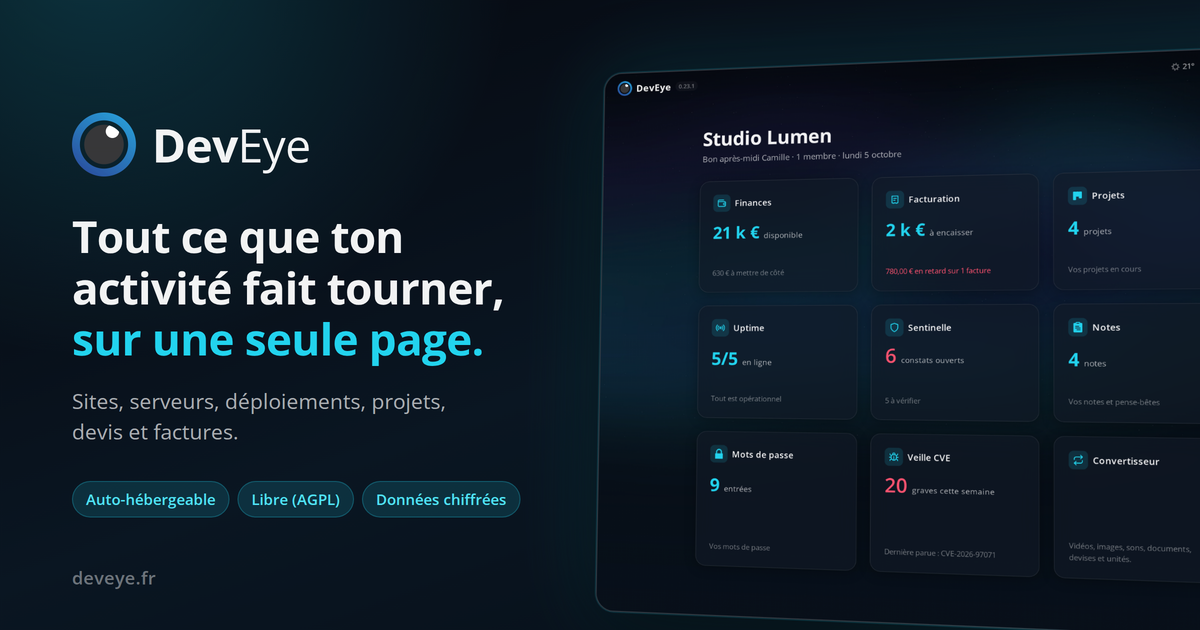
Salut ! Dev indépendant, j'ai construit DevEye : une seule page pour suivre vos sites, serveurs, déploiements, gérer vos projets, devis et factures.
https://deveye.fr
Libre (AGPL), auto-hébergeable, chiffré au repos. Une bonne partie du code a été assistée par IA (merci Claude).
C'est encore jeune : tous les retours m'intéressent, ici ou via le bouton en bas à gauche de l'app.
https://github.com/Gerem66/DevEye
#introduction #autohébergement #logiciellibre #selfhosted #freelance #devfr

What are the best learning resources?
I’ve been wanting to get into self hosting for a long time and messed about a bit with setting up a nextcloud. But while I am reasonably well versed in linux and programming all things to do with the internet are quite confusing and mostly after reading blogposts and the like I am feel like I am missing so much knowldedge. From why people use traefik, how and why to use docker containers, what settings to change on the router, how to connect and setup the domain, and probably most importantly how to do this safely. Is there a good book or site that explains these more basic things?

 🇺🇦
🇺🇦So now I need to move my #homelab. And I have two options:
- Migrate #Mastodon reverse proxy from #nginx to #caddy (no documentation on this around the internet except uncertain assumptions).
- Pay x4 for the internet for a business plan, where I’ll be able to rent more than one static IP.
So the question is do you, dear #mastoadmin, have a working example of Caddy config for Mastodon?
What is Cloudflare doing ? Some Cloudflare IP addresses are acting weird in my logs
I recently started seeing a bunch of probably malicious requests (probing for wordpress plugins on my lemmy host) coming from Cloudflare IP addresses. I do use Cloudflare for my nameservers, but the records are set to DNS only (not Proxy).
These requests all come from a Cloudflare IPv4, with 2a06:98c0:3600::103 as the X-Forwarded-For header, which VirusTotal also attributes to Cloudflare. There is nothing else in the X-Forwarded-For chain.
Does anyone know what is going on or have any hypothesis ?

Boosted by @welcome@friends.deko.cloud
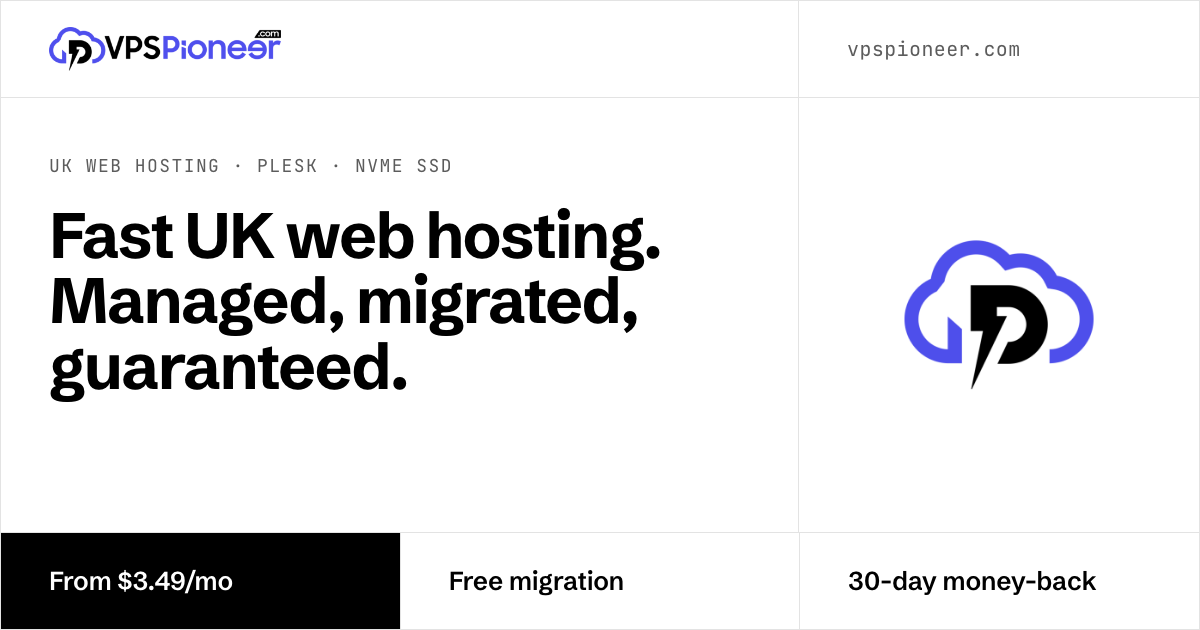
Hi Mastodon 👋 We're VPSPioneer, a small hosting company serving customers across Europe: web hosting, reseller hosting and cloud VPS.
Here we'll share practical, no-fluff guides on Linux, server admin, Plesk, DirectAdmin, WHMCS, DNS and email deliverability, and join conversations with the #SelfHosted and #SysAdmin crowd.
Guides: https://vpspioneer.com/blog
#introduction #Linux #WebHosting

Phishing / spam detection with local LLMs?
I’ve tried giving screenshots of phishing emails to a local Qwen instance and so far it always correctly detected it as scam, even points out the exact elements that it based its judgement on. Sending screenshots to it ad-hoc isn’t too scalable for family and friends. I’d like to be able to either forward emails for screening, or perhaps have it screen everything from a mailbox.
Has anyone done anything like this? Is there anything self-hostable that does this?
Joplin sync
cross-posted from: sh.itjust.works/post/67490052
Is it possible to use joplin on my phone and desktop with syncthing?
I cannot figure out how to sync Joplin with anything, but I do use syncthing to basically back up my whole phone to my desktop whenever I’m on WiFi. Can I use desktop Joplin to access the syncthing folder and edit notes?
Self-Hosting Survey 2026: What are your favorite self-hosted apps?
I’m not affiliated with this in any way but saw it posted at the other place & thought fellow Lemmyzens might like to take a look.
I always find it quite hard to answer “favorite” apps as some infrastructure critical self hosted apps aren’t as sexy as others which sit front & centre so I feel they often don’t seem to get as much credit or attention (such as NGinX/DuckDNS compared to Immich/Jellyfin etc)
Hi everyone,
Like in previous years, I’m running a survey about self-hosting. The focus is on your favorite self-hosted apps, but there are plenty of other (optional) questions too. The top five app lists are free response fields, you don’t have to select the suggestions.
Link to take the survey:
survey.deployn.de/s/self-host-2026
Last year’s results
More info:
The survey is anonymous. Like last year, results will be published in aggregated form. I’m currently planning to publish them in December.
It takes about 10-25 minutes.
Some of you asked for more questions in the comments. I added a lot at first, then realized it took 45 minutes to fill out properly. So I threw some out again, but there are still quite a few. The survey now has a core section that mainly covers the MVPs (your 5 favorite apps), and you can switch on other modules if you want. Almost every question is optional and can be skipped. If you answer everything at a reasonable pace, it takes around 20 minutes.
The proprietary survey tool caused new problems every year, so last year I switched to HeyForm while the survey was already running. That wasn’t ideal for my purposes either, so this year the survey runs on a new app. It should also make entering your apps faster.
It’s still easier to fill out on a desktop computer.
Thank you in advance for participating.

UPS monitor/shutdown service
I have messed around with NUT to trigger a graceful shutdown of my home server running Ubuntu Server. I have struggled with setting NUT up on bare metal, but would like a gui anyway. I saw PVE-UPS which looks good, but I think but I think it is meant for Proxmox. Any alternatives, or a spin of PVE-UPS for docker compose anybody know about?
How is everyone dealing with Android 17's "Nearby Devices" change?
It took me a while to figure out why many of my self-hosted services were intermittently failing to connect on my phone after updating to Android 17. I eventually figured out there’s a new ACCESS_LOCAL_NETWORK permission which means the “Nearby devices” permission is now required to access devices on the same network subnet. For an avid self-hoster, this can be quite a bit.
I had my DNS configured so my public-facing server resolved to a local IP address when on my LAN. This meant that my web, immich, xmpp, NTP, jellyfin and DoH servers all resolved to a local IP address on wifi. On Android 17, it all broke without warning. No error messages. No asking for extra permissions. Just silent packet dropping.
I’ve solved it by configuring my public-facing services to resolve to my external (static) IP address, even when inside the network. I couldn’t make any internal services resolve to the external address (SMB, CUPS etc) because they are (obviously) not bound to my WAN interface.
I get why the change was made. A lot of apps were snooping around people’s networks to gather intel. A potentially massive privacy violation.
Has anyone else had this issue? Is this the cleanest solution?
